๐Ÿ’  RIFTGATE
Download
โœจ Now on Windows and Mac

All your worlds.
One gateway.

Riftgate is a personal entertainment hub for Windows and Mac. Your games, movies, TV, anime, books, apps, free content and deals โ€” together in one desktop app, always up to date and in your region. Stop jumping between launchers, store pages, streaming sites and release calendars: open one window and it's all there.

Free ยท Windows 10/11 (updates itself) ยท macOS on Apple chip or Intel

The Riftgate gem icon

Everything you enjoy, in one window

Play, watch, read and discover โ€” Riftgate brings your library, what's free, what's on sale, what's showing and what's coming next together, so you spend your evening enjoying things instead of looking for them.

๐Ÿ†• New

Everything that's coming, in one feed.

Upcoming games, films coming to cinemas in your country, new series and new anime โ€” with hover trailers. Every row has a "See all" button that opens the complete list: every film releasing near you over the next 12 months, every upcoming game, every new series and anime, with search and sorting.

Riftgate's New tab showing upcoming games and new series
๐Ÿ“€ Installed Library

Every game and app, one shelf.

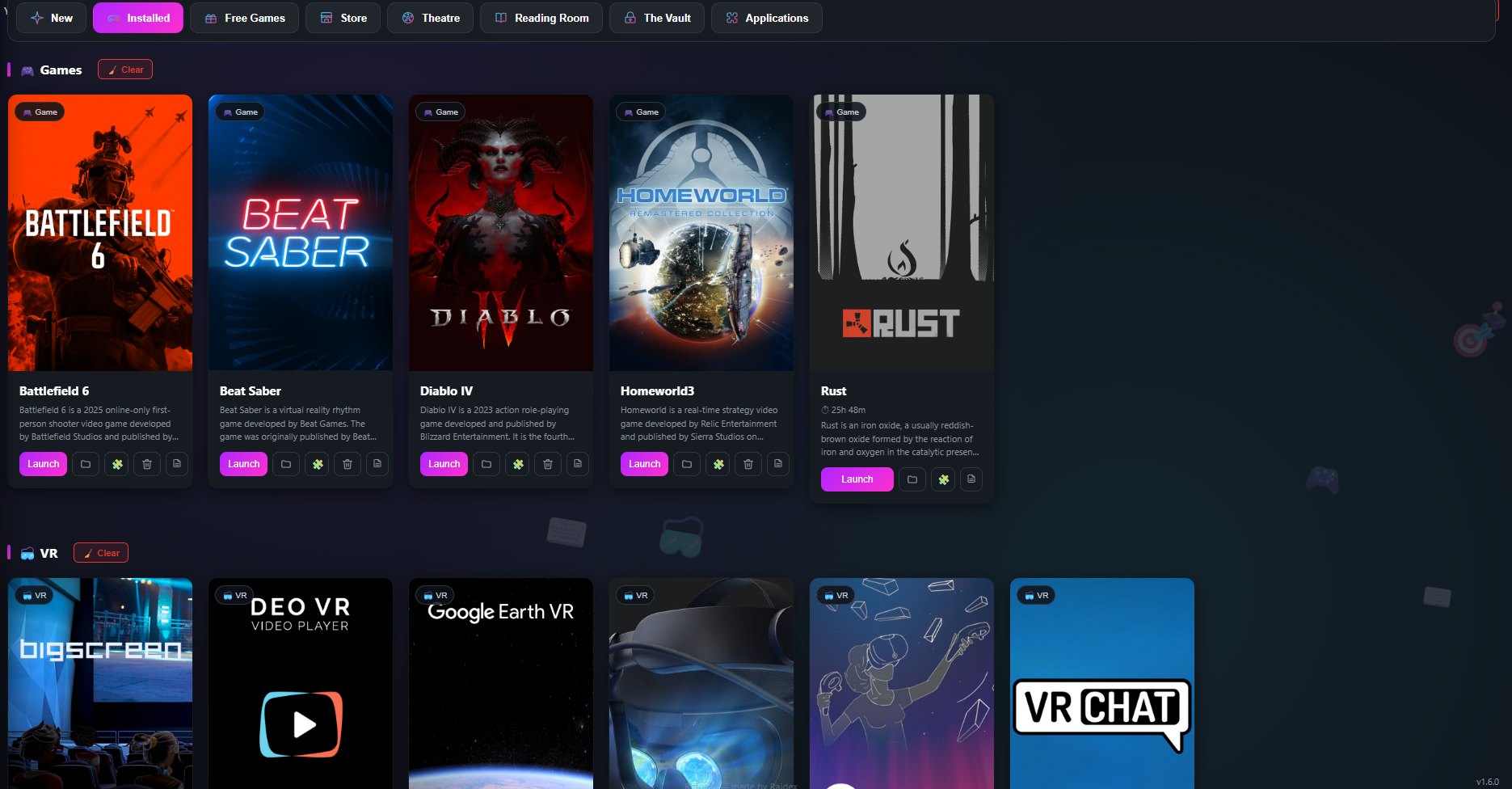
Drag a shortcut or .exe straight onto the page to add it, or let Riftgate find your Steam games and installed apps. It fetches cover art, descriptions and hover trailers, tracks your playtime, and offers to add anything new you install. Apps get their own clean, icon-first card instead of being squeezed into a game's box-art frame.

Riftgate's Installed Library showing games like Battlefield 6, Beat Saber, and Diablo IV
๐ŸŽ Free Games

Never miss what's free.

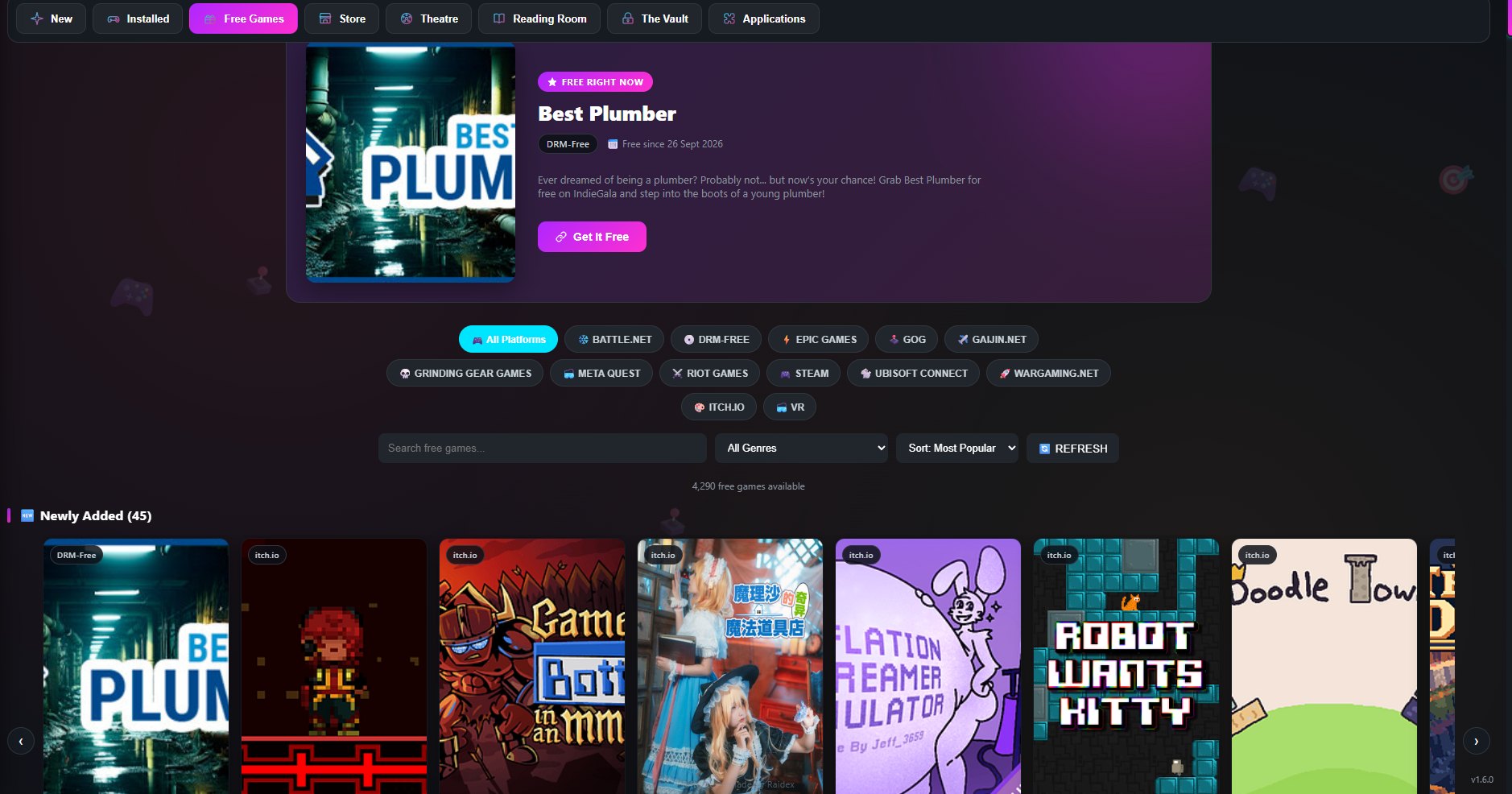
Thousands of games that are free to keep or free to play right now โ€” Steam, Epic Games, every free game on GOG, itch.io, giveaway trackers like GamerPower, and the big free-to-play titles from Battle.net, EA, Riot and Ubisoft โ€” refreshed live, with a dedicated VR view, so a good deal never slips by unnoticed.

Riftgate's Free Games section showing today's free spotlight game, platform filters and newly added free games
๐Ÿ›’ Store

The best deals, in one place.

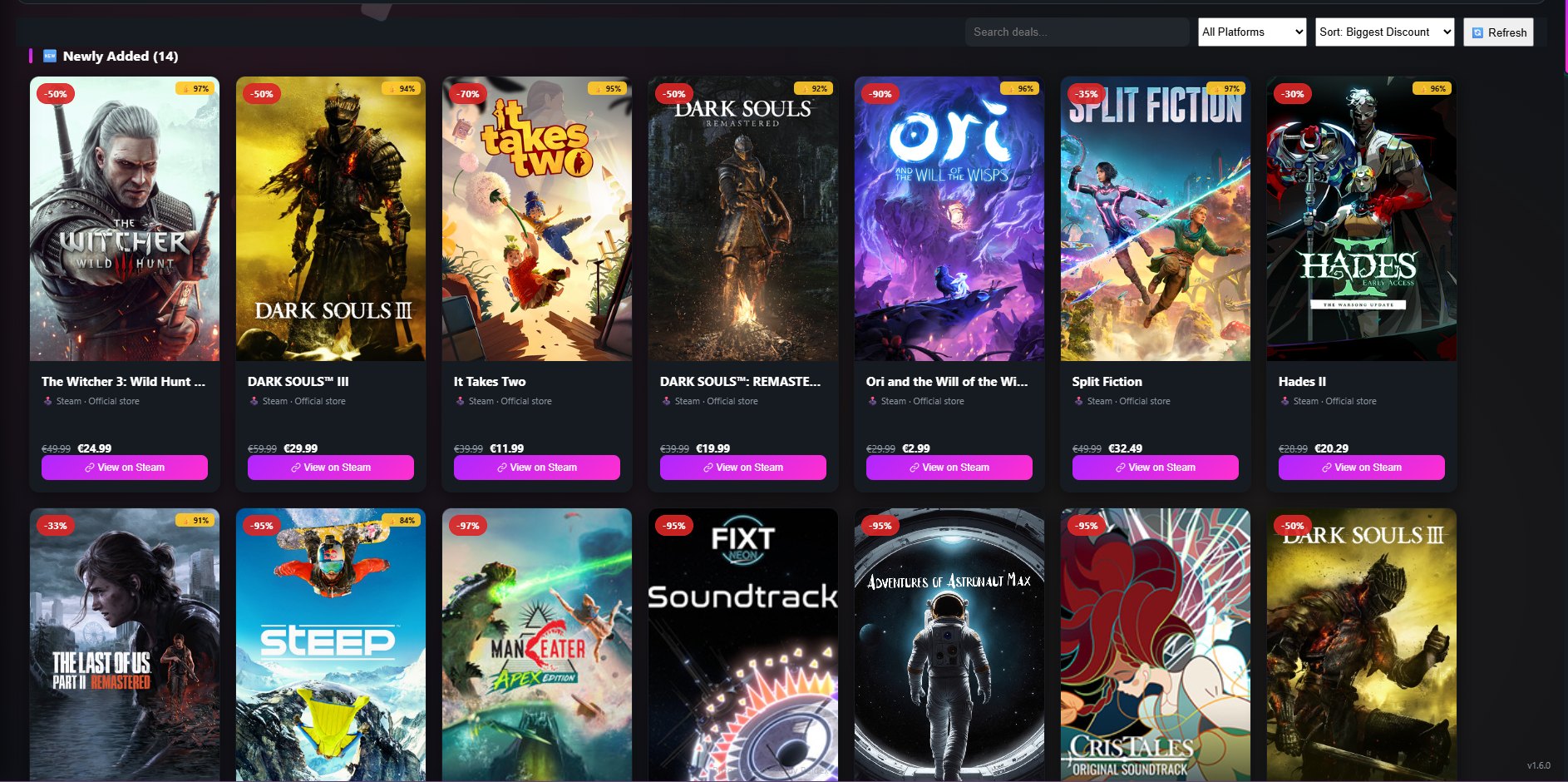
The biggest current discounts on PC games from Steam and dozens of other stores, in one searchable grid โ€” with review scores, trailers, what kind of seller it is, and prices in your own region's currency.

Riftgate's Store section showing discounted games like The Witcher 3, It Takes Two and Hades II
๐ŸŽฌ Theatre

Cinema, streaming and your shows.

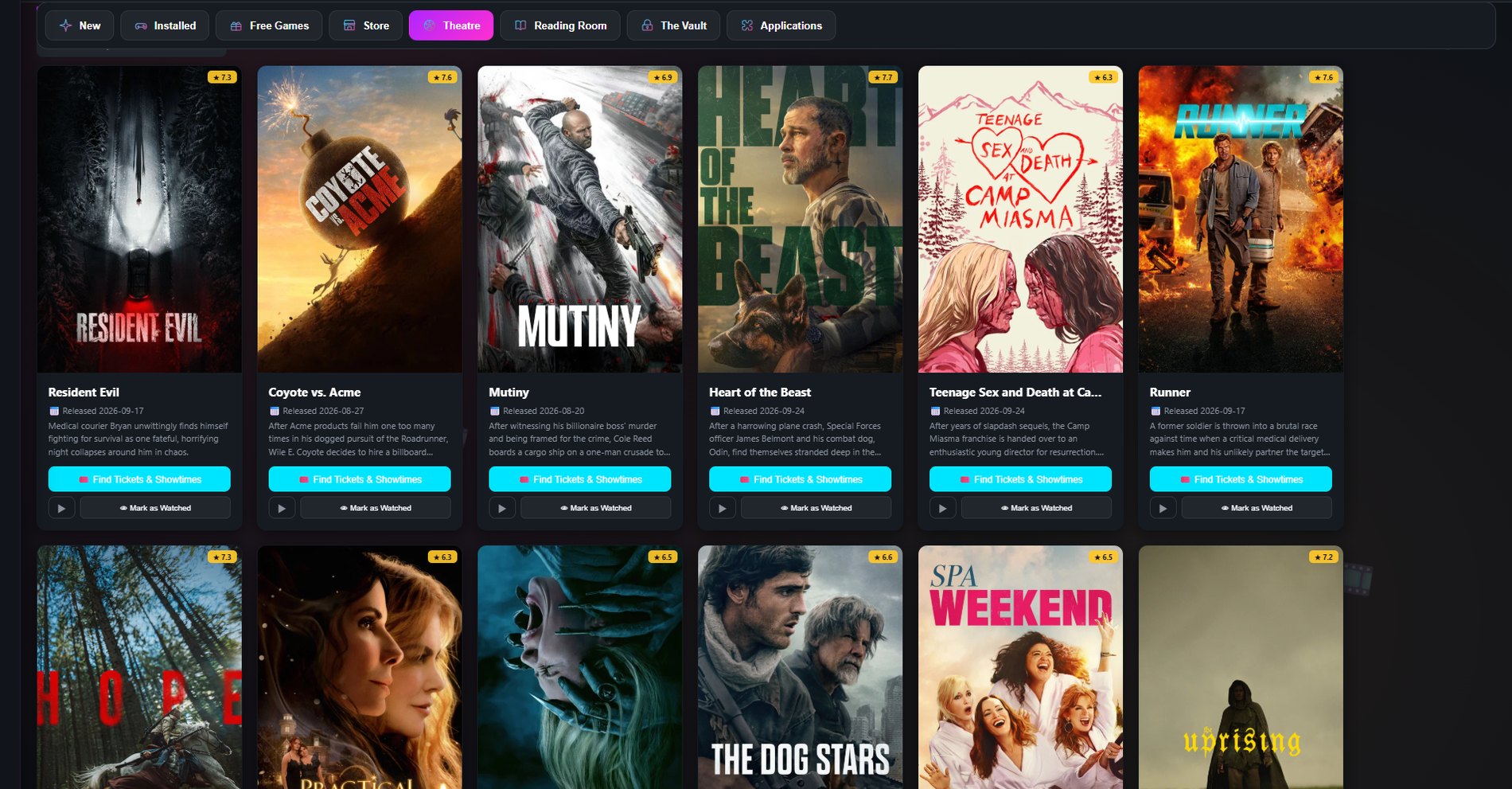
See what's in cinemas near you, browse what's popular on Netflix, Prime Video, Disney+, Max and more in your region โ€” or open a service's whole catalog โ€” find where any title is streaming, and follow your TV series for new episodes. Every title comes with a full-screen trailer.

Riftgate's Theatre section showing movies in theaters with ratings and showtime links
๐Ÿ“š Reading Room

Four ways to find your next read.

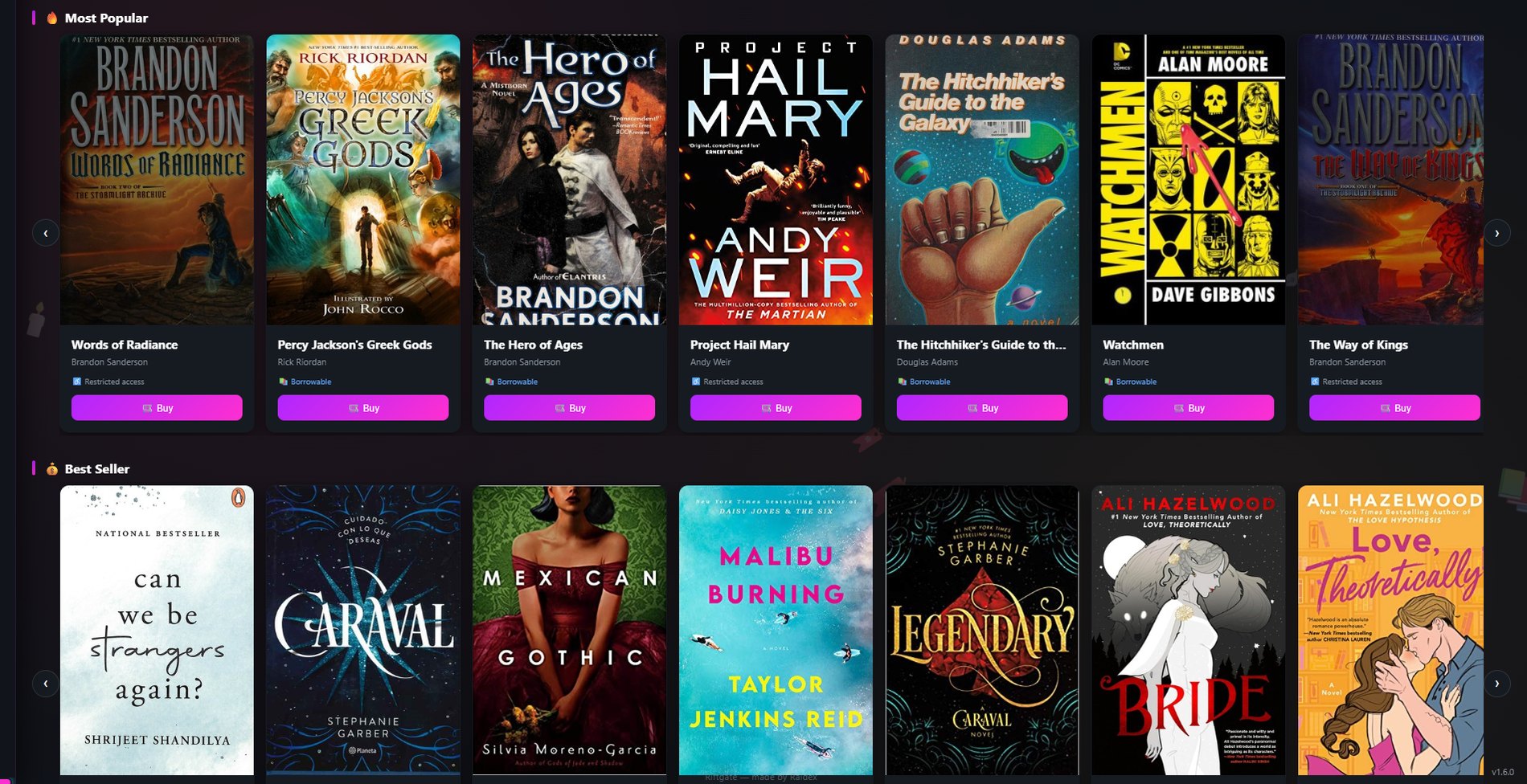
Buy current best sellers and new releases, discover free public-domain books, browse dedicated Manga and Comics shelves, keep your own personal EPUB/PDF library โ€” with drag-and-drop that works even while Riftgate is closed โ€” and browse recommended eBook reader apps. Your recently opened titles are always one click away.

Riftgate's Reading Room showing most popular and best-selling books
๐Ÿงฉ Applications

A shelf of apps worth knowing about.

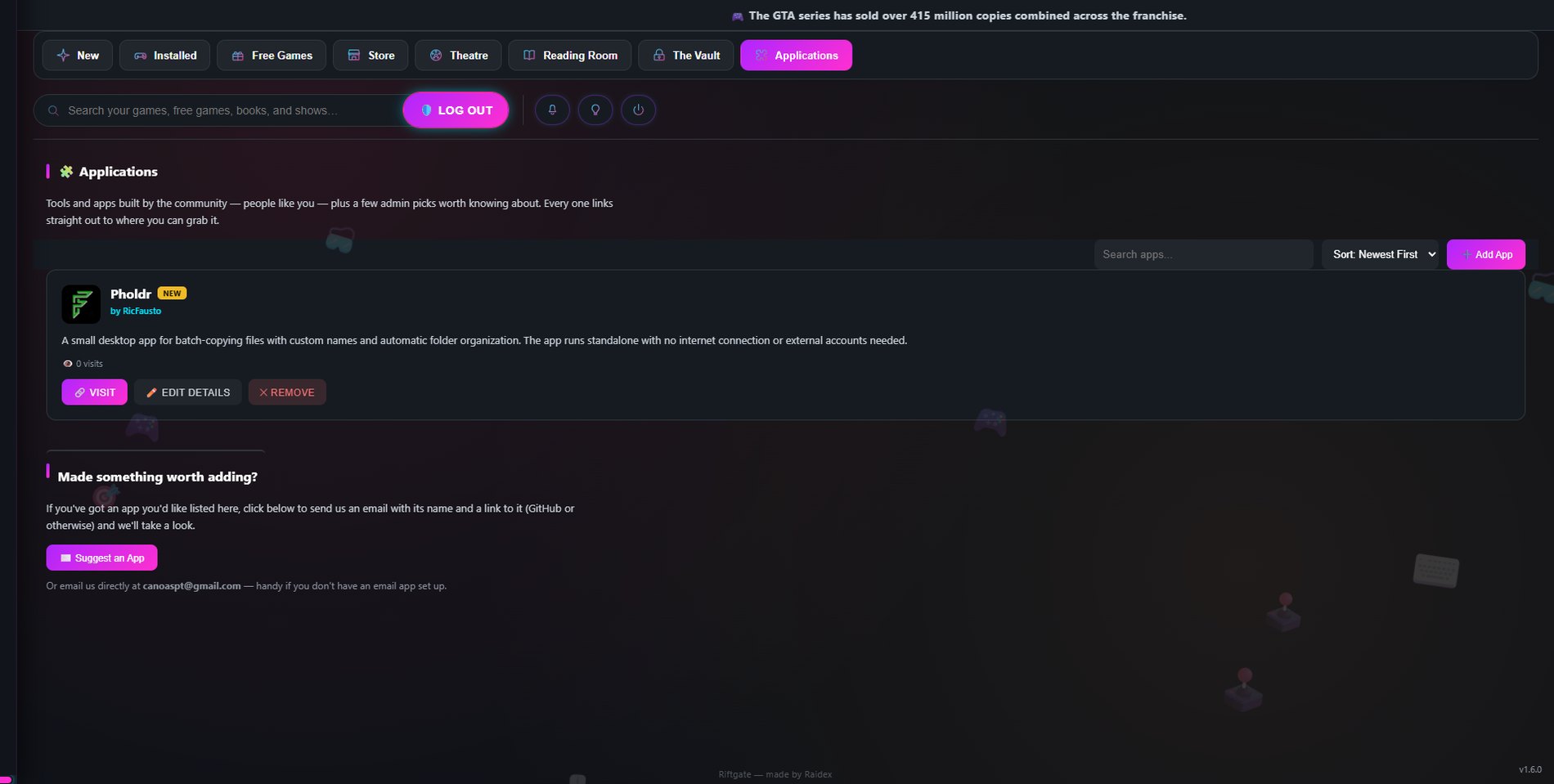
Tools and apps built by the community โ€” people like you โ€” plus a few admin picks worth knowing about. Each one shows a creator credit with a link to their GitHub profile and a link straight to where to grab it, with search and sort by newest, most visited, name, or author. Found something worth adding? Suggest it from right inside the app.

Riftgate's Applications section showing a community-built app with its creator credit
โœจ And there's more

Built for how you actually spend your evening.

A few more things that come with every install:

Get Riftgate

Free to download. Open the release page, look for Assets, and grab the file for your computer: Riftgate-Setup-โ€ฆexe for Windows, Riftgate-โ€ฆ-arm64.dmg for a Mac with an Apple chip (M1 or newer), or Riftgate-โ€ฆ.dmg for an Intel Mac.

๐Ÿ‘‰ Download the latest version

Windows: a blue "Windows protected your PC" screen may appear the first time โ€” this is normal for independently-published apps that aren't digitally signed yet. Click More info โ†’ Run anyway. This only happens once; every update after that installs itself automatically.

Mac: drag Riftgate into Applications, then right-click โ†’ Open the first time (or System Settings โ†’ Privacy & Security โ†’ Open Anyway). If macOS says the app "is damaged", run xattr -cr /Applications/Riftgate.app in Terminal. For now, download each new version by hand on a Mac.

Frequently asked questions

Is Riftgate free?

Yes. Download and use it at no cost.

Do I need to sign in to use it?

No โ€” Riftgate works right away. Signing in is only needed for optional features like Suggestions, and once you've logged in you stay logged in on your device until you choose to log out.

Why does my computer warn me when I install it?

Riftgate is an independently published app and isn't digitally signed, so Windows SmartScreen (or macOS Gatekeeper) shows a caution screen the first time. On Windows click More info โ†’ Run anyway; on a Mac, right-click the app โ†’ Open. It only happens on the first install.

Will I have to keep reinstalling it?

Not on Windows โ€” after your first install, Riftgate checks for and installs updates automatically. On a Mac, updates can't install themselves until the app is signed, so download the new version from the release page when one comes out (your library and settings are kept).

Is this open source? Can I help?

Yes โ€” Riftgate is open source under the GNU GPL v3.0, and contributions are welcome: bug reports, ideas, fixes and new features. Start with the contributing guide on GitHub.

How do I contact you?

Email the Riftgate team at riftgateappdev@zohomail.eu โ€” questions, suggestions, or an app you'd like listed. Bugs and feature ideas can also go in GitHub issues.